

The first time I opened the box on a home blood pressure monitor, I did what I do with most things. I put in the batteries, skimmed the manual until I found the part about pressing the button, and wrapped the cuff around my arm. It looked fine. It felt fine. I wrote the number down and went about my morning.
It took a nurse at my doctor's office to point out that a cuff has a size, and the size has a range, and my arm has to fall inside that range or the number on the screen is not worth much. Nobody had mentioned that to me in the store, and nobody had mentioned it on the box either. The A&D Medical UA-767F comes with one wide range cuff that covers 8.6 to 16.5 inches, which is a wide spread on purpose. Whether it covers your arm is a question you can answer in about two minutes with a soft tape measure and nobody's help.
Here is how I do it now, at the kitchen table, before coffee. Five steps, none of them long, and the whole thing starts before you press a single button.
One cuff, 8.6 to 16.5 inches, and a two minute measurement decides the rest
The A&D Medical UA-767F comes with a wide range cuff and a one button start. Measure your arm first, then read the range on the cuff and match your number to it.
Amazon Check Today's Price on Amazon →Why the Cuff Range Matters More Than the Buttons
When people compare home monitors, they compare screens and memory and buttons. I did too, at first, because that is what the product pages put in front of you. What I did not understand is that the machine is the easy part. It is a box that inflates and listens. The cuff is where the reading actually comes from, and a cuff that does not fit your arm can hand you a number that is off in a direction you cannot see.
The cuff in the box with the UA-767F is built to cover a wide spread, 8.6 to 16.5 inches, which is why one model can serve a lot of households. That width is a convenience, not a guarantee. Every cuff has a range, and the range is not a suggestion. It is the set of arm sizes the cuff can close around and hold evenly while the monitor does its work.
So before you spend an evening reading the manual, get the tape measure out of the sewing tin. Two minutes now saves you a notebook full of numbers you cannot use. I say that from experience. I spent three weeks writing readings down twice a day before anyone told me to check the fit.
And if you are measuring for two people, measure both arms separately. Gene and I share one monitor and our arms are not the same size, so the fit question had two different answers in this house.
Step 1: Measure your bare upper arm at the halfway point
Roll your sleeve up or take the shirt off. You want skin, not fabric. A quarter inch of cotton under the cuff changes the fit more than people expect, and the whole point of this step is to take away everything that changes the fit.
Hold your arm relaxed, either down at your side or resting on the table in front of you, and wrap a soft tape measure around the middle of your upper arm. Middle means halfway between the bony point of your shoulder and the crease at your elbow. Not up in the armpit, and not down at the elbow. Keep the tape level the whole way around instead of letting it ride up in the back, because a tape that is not level reads bigger than your arm actually is.
Do not flex, and do not pull the tape tight enough to leave a line in your skin. Let it sit the way a shirt sleeve sits. Breathe out normally and read the number where the tape meets itself. Write it on a sticky note in inches, and measure twice. The first number I get is usually the one where I am holding the tape too snug, and the second one is the honest one. Write the number in big letters too, because in two weeks you will not remember which note is which.
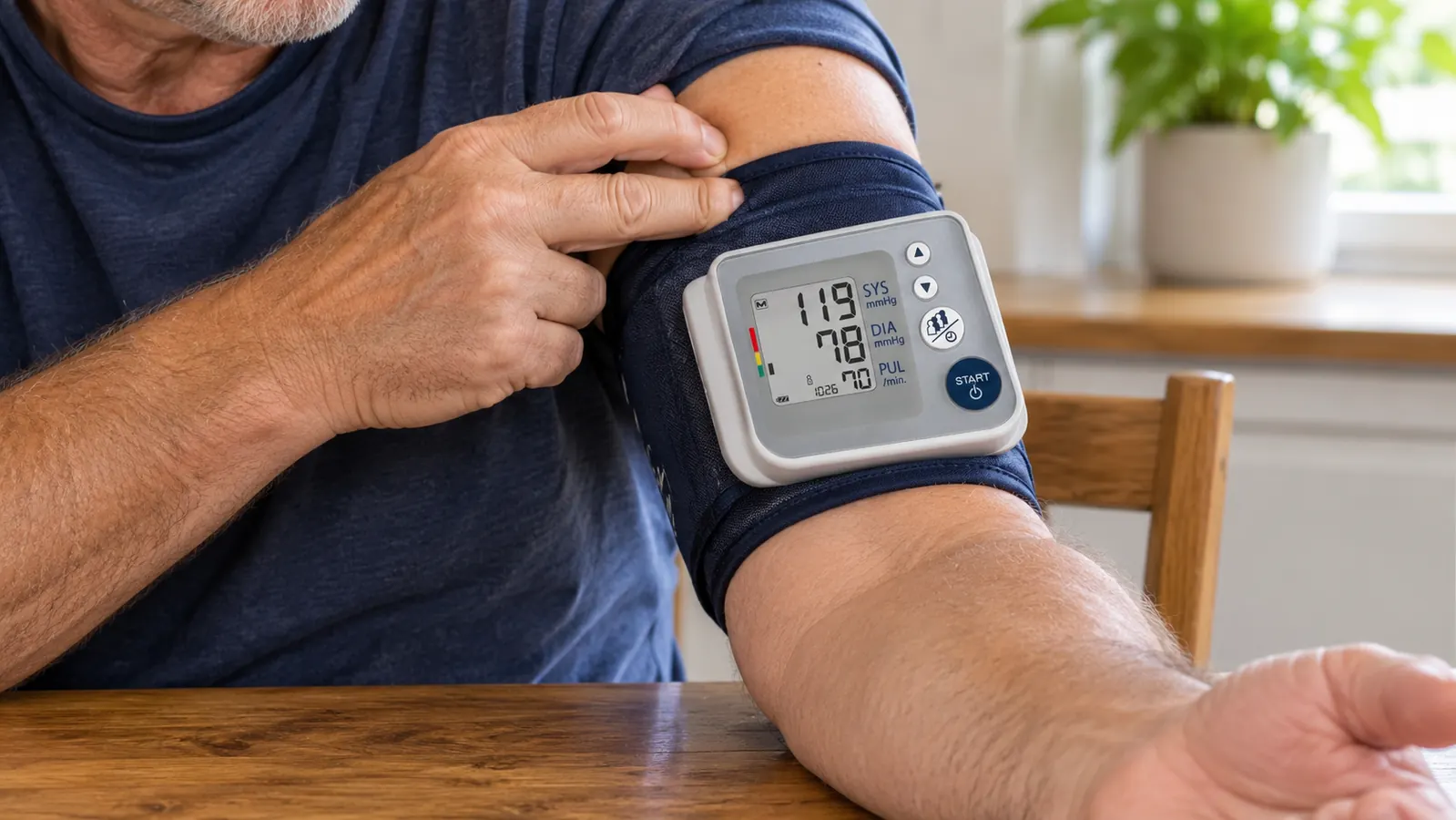
Step 2: Compare your number to the range printed on the cuff
The cuff that comes in the box with the A&D Medical UA-767F is a wide range cuff, and the range printed on it is 8.6 to 16.5 inches. That is the arm circumference the cuff is built to close around and hold. If your measurement from Step 1 sits inside those two numbers, the cuff in the box is your cuff, and you can stop worrying about it and move on to taking your readings.
If your arm measures under 8.6 inches or over 16.5 inches, the cuff in the box is not your cuff, no matter how well it seems to go on. A cuff that is too small will not close the way it was designed to, and a cuff that is too big has extra room to shift around on your arm while the monitor is working. This is not about being a certain size. It is about the range the cuff was made for.
Gene's arm measured bigger than mine. That is the whole reason we ended up reading the fine print on the cuff in the first place. Two people, one monitor, two different arms, and one of us was a good deal closer to the edge of that range than the other.
Step 3: Put the cuff on and check the fit with your own fingers
A number on a tape measure is one thing. The fit once the cuff is actually on your arm is another, and it is worth another thirty seconds of your morning.
Bare arm. The bottom edge of the cuff sits about an inch above the crease at your elbow, and the tube runs down the inside of your arm toward your hand. Fasten it flat, with no twist in the fabric. Then try to slide two fingers under the top edge. Two fingers should go in without a fight. If your whole hand slides under, the cuff is loose. If two fingers will not fit, or the cuff leaves a red mark when you take it off, it is tight.
Check that the cuff is on skin and not over a rolled-up sleeve, because I have made that mistake at six in the morning and the reading it produced was not one I would write down. Then sit the way you plan to sit every time. A cuff that fits, on an arm that is hanging in the air, is still not a reading you can compare to yesterday's.
If your arm sits right on the line between the cuff in the box and the next size up, I would go with the cuff whose range your number sits comfortably inside, not the one it just barely touches. A cuff should fit. It should not just barely close.
The number on the screen is only worth writing down if the cuff that produced it actually fit the arm it was wrapped around.

Step 4: If your arm falls outside the range, order the cuff that matches
A&D Medical lists other cuffs for this monitor, and the monitor accepts them. The UA-289A Small Cuff covers 6.3 to 9.4 inches (16 to 24 cm). The UA-290A Medium Cuff covers 9.0 to 14.6 inches (23 to 37 cm). There is a UA-291A as well, and A&D lists it as compatible with this unit.
The part I would tell a friend over the back fence is this. Buy the cuff from A&D Medical, and buy it by the range, not by the word small or medium printed on the package. Get the tape measure out, put your number on a sticky note, and match your number to the range on the cuff you are buying. If the package says 9.0 to 14.6 inches and you measure 15, then it is not your cuff, no matter what the package calls it.
And please do not try to make a wrong cuff work. No doubling it over, no wrapping it around a thick sleeve to take up slack, and no holding the end down with your other hand. If it does not fit, it is the wrong cuff, and whatever number it gives you is not one you want in a log you are going to hand to your doctor.
Step 5: Take the reading the same way, at the same times, and write it down
The cuff is half of it. The other half is doing the same thing every time, so the numbers in your log can actually be compared to each other.
This is my routine. Morning, before coffee. Evening, before supper. I sit at the kitchen table with my back against the chair and both feet flat on the floor. My arm rests on the table and the cuff sits at about the same height as my heart. I do not talk, I do not have the television on, and I do not take a reading the minute I walk in the door. I sit for a few minutes first and let myself settle.
The A&D Medical UA-767F is one button to start, and the screen shows large numbers, which is the reason I chose it over a smaller one at the store. The monitor keeps separate readings for up to four users, so Gene has his setting and I have mine and we are not sitting there arguing about whose number is whose. I take two readings a minute apart and write both down, with the date and the time, in a notebook.
Then the notebook goes in my bag for the next appointment. I am not a nurse and I am not going to pretend to read a trend line at the kitchen table. I bring the numbers in, my doctor reads them, and that has worked fine for me.
What Else Helps
A few small things that made my own readings more consistent. None of them cost anything, and most of them are just about removing excuses.
Keep the monitor in the same place. Ours lives in the kitchen drawer, which means I am not hunting for it for ten minutes and then taking a reading while I am irritated. Have spare batteries on hand. The unit runs on batteries, and a fresh set at the start of the month is cheap insurance against it quitting halfway through a reading.
Use the same arm each time. Empty your bladder first. Skip the coffee for a half hour before, if you can manage it, and sit still with your mouth shut. Read the manual once with a pen in your hand. The A&D Medical manual has a diagram of cuff placement that is clearer than anything I can write here, and it is worth the five minutes it takes.
If the cuff starts to feel stiff, or the fastener stops holding the way it used to, replace the cuff rather than the whole monitor. The monitor carries a five year limited warranty in the USA, and the cuff is the part that wears out from being rolled and unrolled twice a day.
One more thing, and I mean it as a friend. Do not look at a single number and decide anything about your health from it. I write my readings down, I bring them to my doctor, and my doctor tells me what they mean. A cuff that fits just makes sure the numbers you carry in are numbers worth reading.
Measure the arm, match the range, then write the numbers down
If your upper arm measures between 8.6 and 16.5 inches, the wide range cuff in the box is the one you need. If it does not, A&D Medical sells the smaller and medium cuffs for the same monitor. Either way, bring the log to your next appointment.
Amazon Check Today's Price on Amazon →