
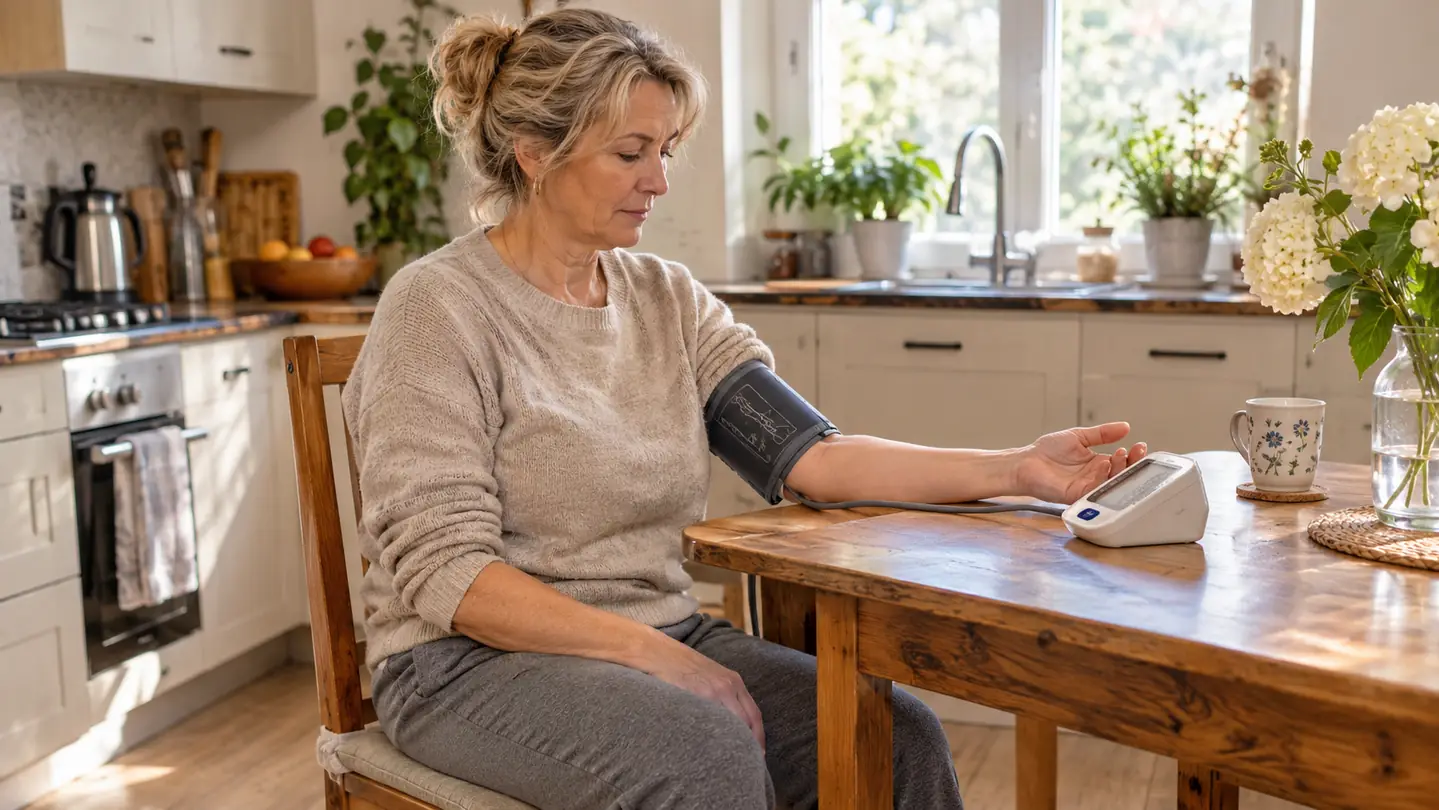
Two weeks after my doctor asked me to start checking my blood pressure at home, I sat at my kitchen table with a new monitor, a cuff, and a screen full of numbers I could not make sense of. I am 67, I spent 31 years behind a teller window, and numbers are not the thing that trips me up. The trouble was that the display wanted me to already know things nobody had told me. I pressed the button, the cuff squeezed my arm, and then three numbers sat there waiting while I tried to work out which of them were the ones I was supposed to write down. My husband Gene is 70 and checks his blood pressure too, which is why we share one machine, and he had the exact same question. Here is what I worked out.
Let me say the important part first. I am not a nurse and I am not going to tell you what your numbers mean about your health, because that is not mine to say. What I can tell you is how to get a clean reading out of the Greater Goods upper arm monitor and how to read what it puts on the screen afterward, so that you can write it down and carry the whole page to your doctor. The monitor gathers the information. Your doctor is the one who reads it. That division of labor took me a while to accept, and everything got easier once I did.
Three Numbers Show Up On One Screen And Stay There
The Greater Goods upper arm monitor puts systolic, diastolic and pulse together on its LCD screen after each reading and holds them there until you are done writing. One button starts it, two user profiles keep two people's readings apart, and the cuff fits an upper arm from 8.75 to 16.5 inches around.
Amazon Check Today's Price on Amazon →What the Display Is Actually Showing You
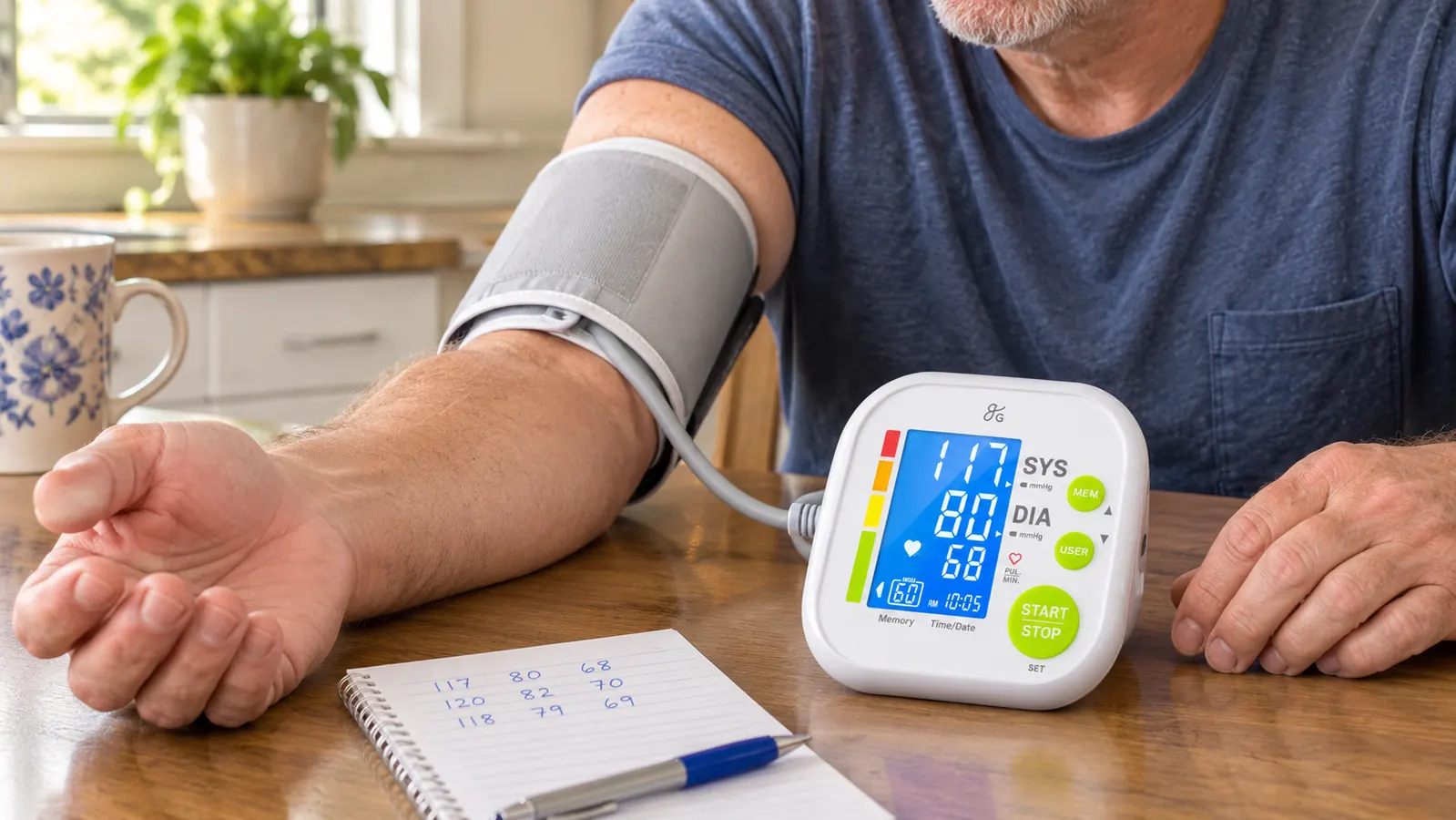
When a reading finishes, the Greater Goods monitor puts three pieces of information on the screen. The top number is systolic pressure, the pressure in your arteries when your heart is pushing blood out. The number under it is diastolic pressure, the pressure when your heart is resting between beats. The third is your pulse rate, the number of beats per minute the monitor counted while the cuff was working. Your doctor probably says them out loud as something over something, like a fraction, and now you know which is which.
The thing that settled me down was realizing the display holds still. It does not scroll, it does not count down, and it does not ask you to tap through anything. The LCD sits there with your three numbers until you turn it off or take another reading. Once I stopped expecting the screen to do something and started treating it like a card someone had handed me, I could read it in about four seconds, glasses or no glasses.
Step 1: Put the Cuff on Bare Skin and Sit Still for Five Minutes
The cuff that comes with the Greater Goods monitor fits an upper arm between 8.75 and 16.5 inches around, which is 22 to 42 centimeters. Roll your sleeve up rather than pushing it, because a bunched sleeve under the cuff changes the shape of your arm under there. The cuff goes on the upper arm, above the elbow, with the tubing running down the front of your arm toward the monitor.
Then sit. Not stand, and not perch on the edge of the counter. Sit with your back against the chair, both feet flat on the floor, and your forearm resting on the table so the cuff is roughly level with your heart. I propped my arm on a folded dish towel for the first week before I figured out the table height was already fine. Either way, the arm needs support, because an arm held up in the air is not resting, and I wanted the setup to be the same every single time.
Give it five minutes of quiet before you press anything. That was the hardest part for me. I am the sort of person who gets up three times during a conversation to check on something, and five minutes of sitting with nothing to do felt ridiculous. It stopped feeling ridiculous the day my first reading came out wildly different from my second, and I realized I had taken the first one while still walking around the kitchen.
Step 2: Pick Your User Number Before You Touch Start
The Greater Goods monitor keeps two user profiles, labeled User 1 and User 2. Gene is User 2 and I am User 1, and we settled that on the first day with a felt pen mark inside the battery cover so neither of us has to think about it at six in the morning. Choose your profile before you press Start, not after. Press Start first and the reading lands in whatever profile the monitor was last set to, and now you have your husband's numbers in your log.
This matters more than it sounds like it should. The monitor stores up to 60 readings for each user, 120 in total, so two people can track on one machine without the records running together. But that only works if the profile is right at the moment of the reading. I learned it the way you learn most things about a new machine, by getting it wrong twice and then taping a note to the case.
Gene and I use the same cuff and it works for both of us, because the band covers a wide spread of arm sizes and it closes properly on his arm as well as mine. If your arm measures outside that 8.75 to 16.5 inch range, the cuff in the box may not be the right one for you, and that is worth sorting out before you collect a month of readings that will not help anybody.
Step 3: Press Start and Keep Your Mouth Shut
Operation is one button. You pick your user, you press Start, and the cuff inflates and then deflates on its own. You do not pump anything, you do not tighten anything, and there is no dial to fiddle with. The reading takes well under a minute. The monitor does the work and you sit there and let it.
The part people get wrong is talking. I do not mean that as a joke. For the first few weeks, Gene would ask me a question from the next room right in the middle of the cuff going up, and I would answer, and then I would wonder why the reading looked odd. Keep your mouth closed and your arm still from the moment you press Start until the cuff has finished and the numbers appear. If you cough or move, take it again rather than keeping one you do not trust.
Same goes for your phone, the neighbor's dog, and the delivery truck backing up outside. I started taking my reading before I look at anything in the morning, because the second I pick up that phone the whole thing stops being a rest period. If the doorbell rings, let it ring and start over. Two quiet minutes is the entire ask.
Step 4: Read the Numbers Top to Bottom, Then Write Them on Paper
Read the screen in the same order every time: top number, bottom number, pulse. Saying them out loud in that order, systolic then diastolic then pulse, is how your doctor will read them back to you, and it saves a confusing conversation later. If the monitor detects an irregular heartbeat during the reading, it shows you that on the display, and I write that flag down on the same line. It is one more thing to mention when I bring the log in.
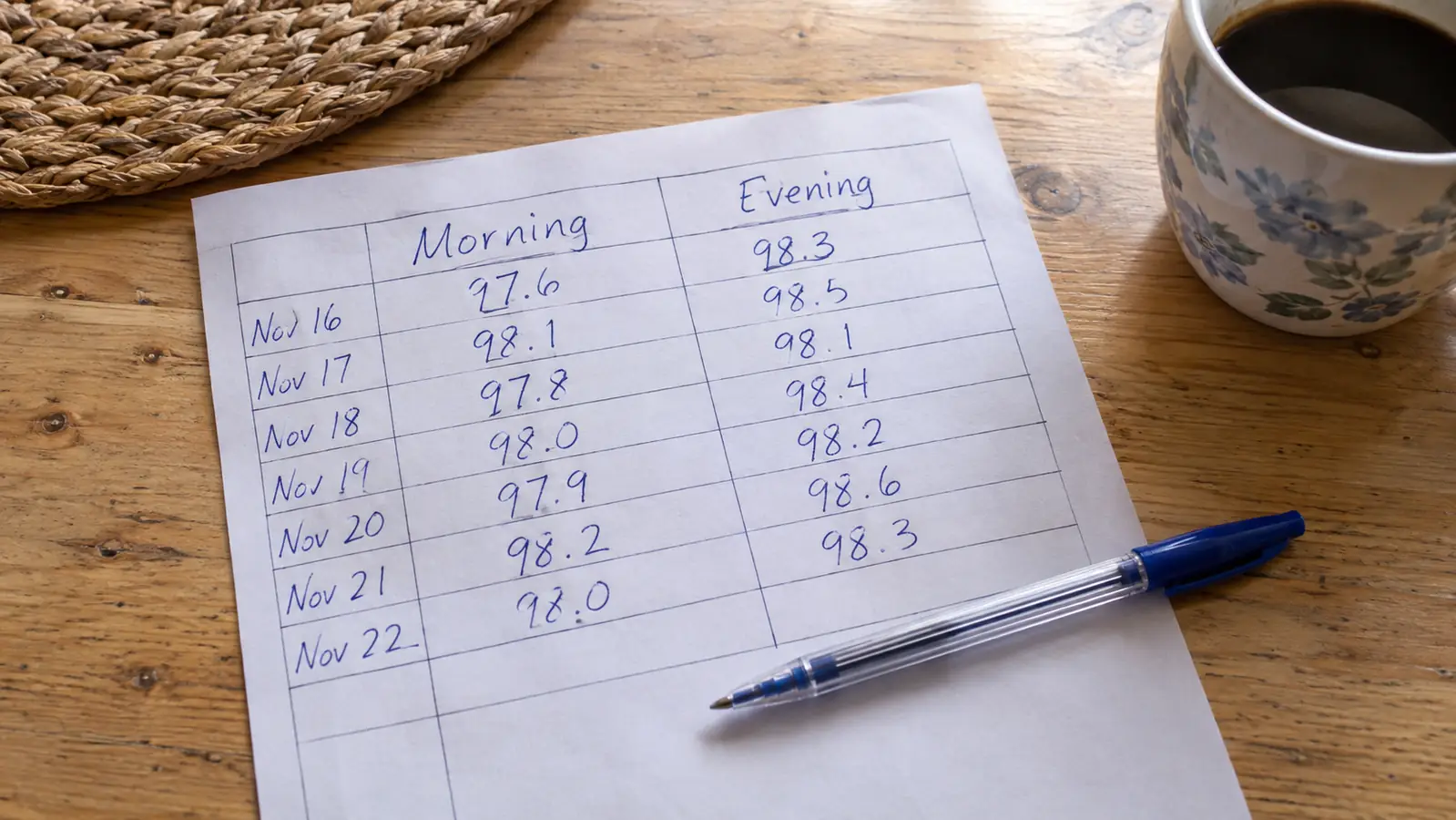
Then write it down. I keep a pad in the kitchen drawer next to the monitor and I write the date, the time, whether it was morning or evening, the two pressure numbers, and the pulse. Six small pieces of information, one line each. It takes less time now than reading the screen did that first week.
I know people who let the readings live in the monitor and never write anything, and I understand the appeal of that. But a screen in a drawer is not something you can hand to another person. When I go in for my appointment, I tear off the last few pages of the pad, and my doctor has a month of mornings and evenings in front of her instead of one number taken in a rush. That is the whole reason for doing this at home.
Step 5: Use the Stored Readings to Fill the Gaps in Your Log
The Greater Goods monitor keeps 60 readings for each user, 120 in total, so there are mornings when the machine remembers better than I do. If I forget to write a Tuesday evening down, I can get back to what the monitor saved for my profile instead of pretending the reading never happened. That does not come up often, but it comes up on the weeks when life gets in the way, and it is a comfort to know the number is not gone.
Sixty readings per user works out to roughly a month of twice-a-day checks, which is close to what my doctor asked for in the first place. That number changed how I thought about the memory. A month of mornings and evenings is enough for a doctor to see a pattern, and I did not want to hand over a month with holes in it.
The other thing in the box worth keeping is the case. The monitor lives in our kitchen drawer, and 6.4 ounces of plastic riding loose next to a can opener is a fine way to ruin a screen. The case keeps the cuff and the monitor together, and it means the whole setup can move to the dining table when we have company and nobody has to ask what the machine on the counter is for.
What Else Helps
Four AAA batteries run the monitor and they come in the box, so there is nothing else to buy before your first reading. Keep a spare set in the drawer anyway, because the one thing that will end a good streak of twice-a-day checks is pressing Start and getting nothing back. I swap ours on the first of the month whether it needs it or not, which is not scientific, but it means I have never once sat down to a dead monitor.
The rest of what helps is not about the machine at all. Check at the same two times each day, roughly, because a morning reading and an evening reading are two different pieces of information and you want to compare like with like. Keep the monitor in the same spot so the routine stays easy to pick up. And carry the log to every appointment, including the ones that have nothing to do with blood pressure, because a page of readings in your bag is worth more than a memory of how you felt last Tuesday.
Sixty readings per user is about a month of twice-a-day checks, which is close to what my doctor asked for in the first place.
One Button, Two Profiles, Three Numbers on the Screen
If the display is the part that has been stopping you, that is the part this monitor keeps simple. Pick your user, press Start, read the three numbers, write them on the pad. The Greater Goods upper arm monitor holds 60 readings for each of two users, so the record is still there on the mornings you forget to write it down.
Amazon Check Today's Price on Amazon →